| FOM 9.1 |
Fleet Operations Manual FOM Introduction to DSM Application |
Doc No.: FOM 9.1
Revision: 01 Date: 15 Oct 2024 Issued by: DPA Approved by: MD |
1 Access
DSM is a web-based application and does not require any installation. DSM may be accessed from the following link:
Access is granted to DSM application to be used without shipsat authentication and should be accessible from required PCs onboard. In case any issue is faced with respect to access on computers, vessel is to report same to IT Manager.
1.1 Crewing Credentials and Crewing Process - Responsibility
Crew details are to be updated in DSM by respective crewing manager within 15 days of joining of the crew. Crewing team is to ensure that all crew members are updated in DSM.
In case credentials are not available for crew, master is to inform crewing department keeping PMS Engineer in copy.
Master is responsible for signing on the crew in DSM once made available to travelling status by crewing department. Master is to also ensure that crew is signed off in DSM once they sign off.
Master is responsible for sharing the credentials to crew.
2 Where to Get Credentials in DSM
Credentials for crew may be accessed as below:
Admin -> User Management

Employee number is the User ID for login.
Master may reset the credentials for the crew in DSM by clicking on Reset Password in case they have forgot password.
3 Crew Sign On and Sign Off Procedure in DSM
Detailed crew sign on and sign off procedure is available as video in DSM. It may be accessed as following:
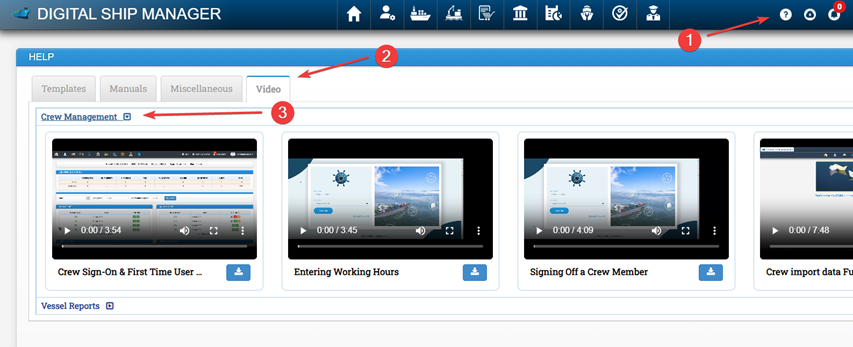
- Click on Download button
- Click on Video Tab
- Click on crew management
3.1 Signing On and Signing Off Crew
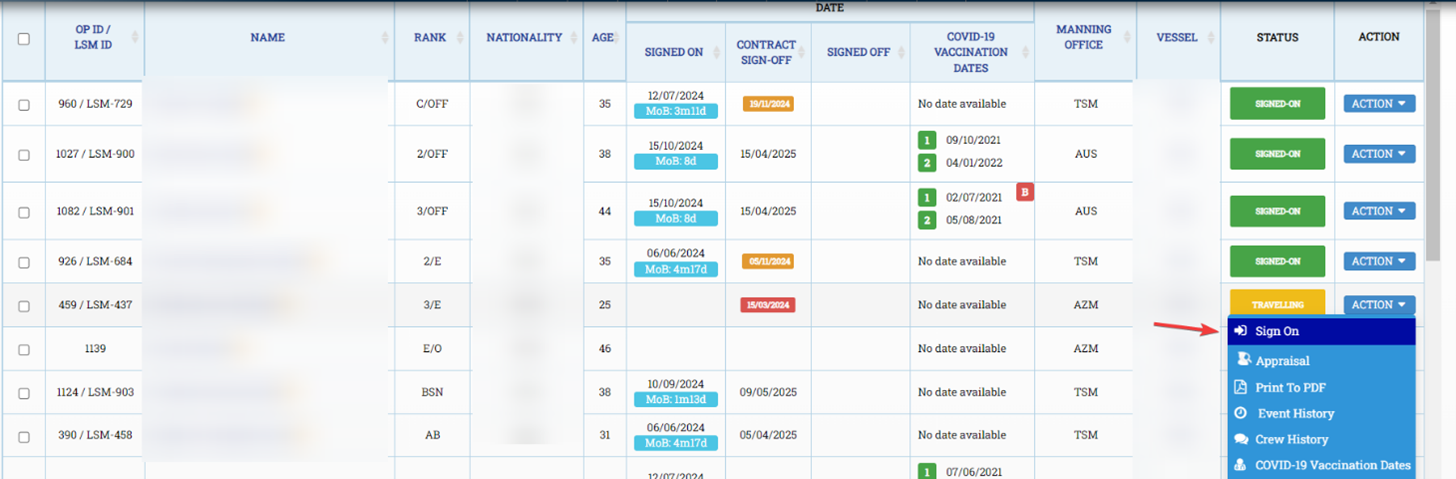
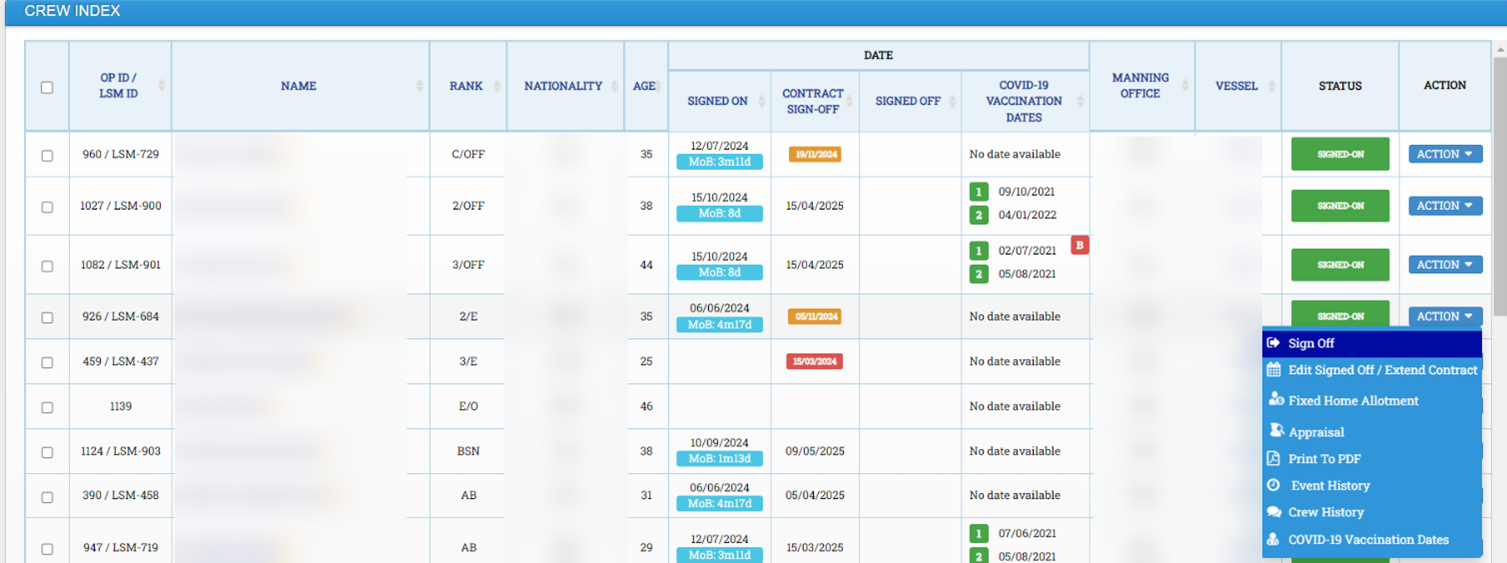
Go to Crew -> Crew Index
Entire list of crew members will be visible here. For signing on required crew member who is in travelling status, click on Action button and then click on sign on. Fill the required details and click on submit.
Similarly to sign off crew member, click on Action button and then click on sign off. Fill the required details and click on submit.
4 Accessing Manuals in DSM
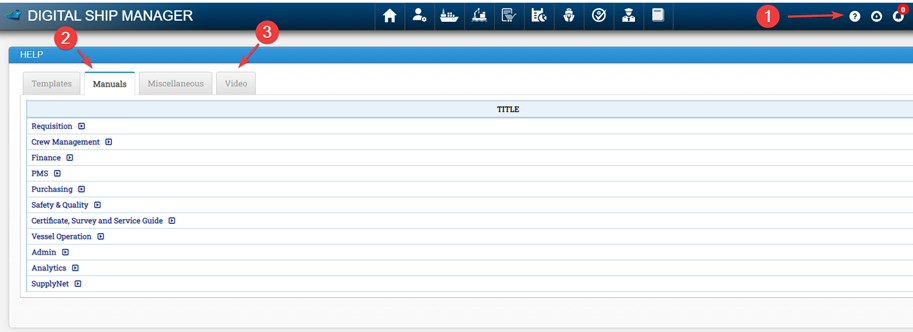
Manuals and videos for all modules may be accessed as following in DSM:
- Click on Download icon
- Click on Manuals
5 Accessing Download Centre
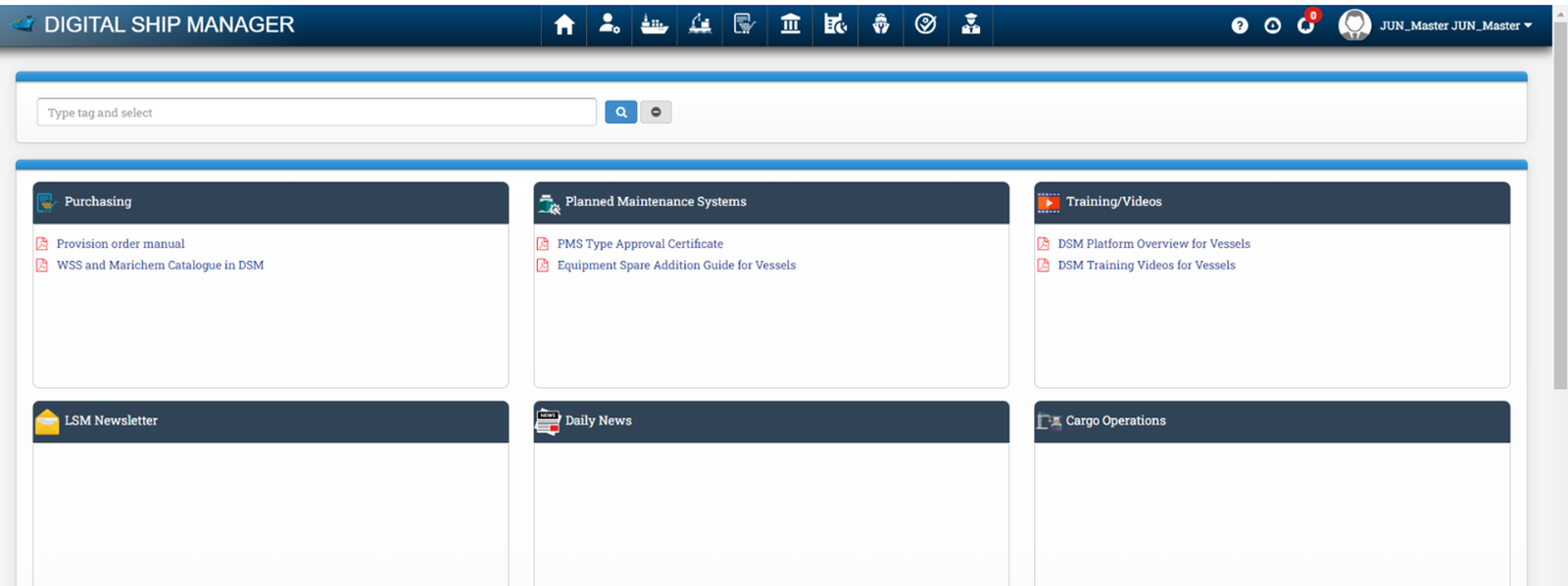
Download centre may be accessed by clicking on the Download icon.
Any documents or information uploaded by office under particular category may be available in Download centre.
6 Issue Resolution
General issues faced by the vessel regarding DSM to be addressed to PMS Engineer who will communicate with DSM and resolve the issue. Issues related to procurement in DSM to be addressed to procurement officer or procurement manager as applicable.