| FOM 9.5 |
Fleet Operations Manual FOM Safety and Quality Module in DSM |
Doc No.: FOM 9.5
Revision: 01 Date: 15 Oct 2024 Issued by: DPA Approved by: MD |
DSM Instructions
1. How to Add SMS Review in DSM
Frequency to be updated: Monthly
Click on Safety and Quality Module -> Manual & Review -> SMS Review
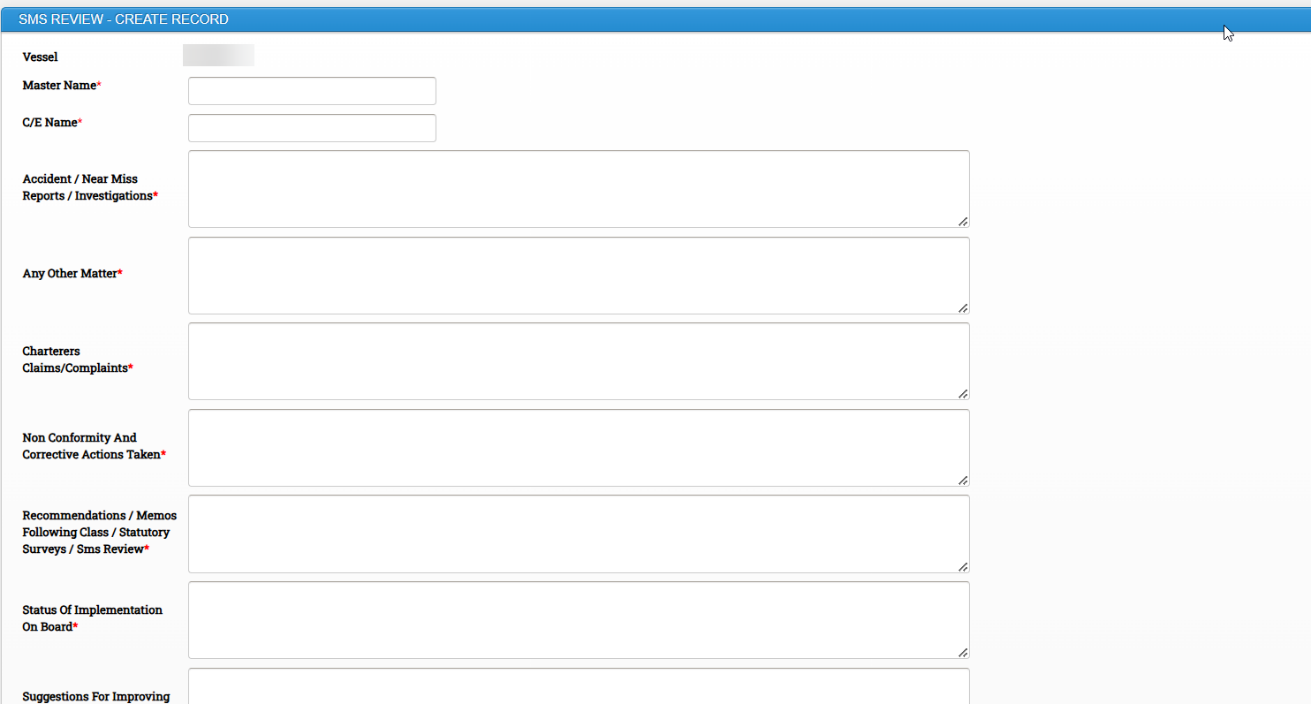
As per SMS process, the monthly review of the chapters is to be carried out in the DSM Platform.

Fill all the required details and Click on submit.
2. How to Add ISPS Review in DSM
ISPS can be reviewed by master and SSO
Frequency to be updated: Annually
Click on Safety and Quality Module -> Manual & Review -> ISPS Review
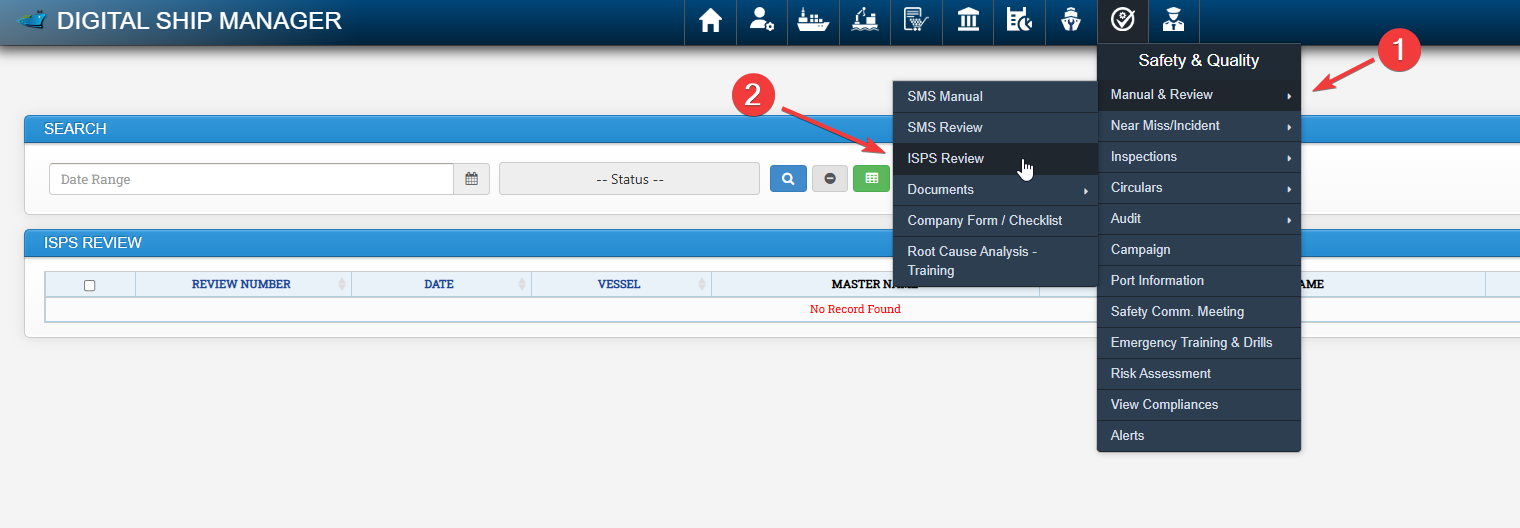

Fill all the required details and click on Submit.
3. How to Add Near Miss, Accidents and Incidents in DSM
Near Miss, Accident or Incident can be updated in DSM.
Click on Safety & Quality Module -> Click on Near Miss / Incident -> Near Miss / Incident
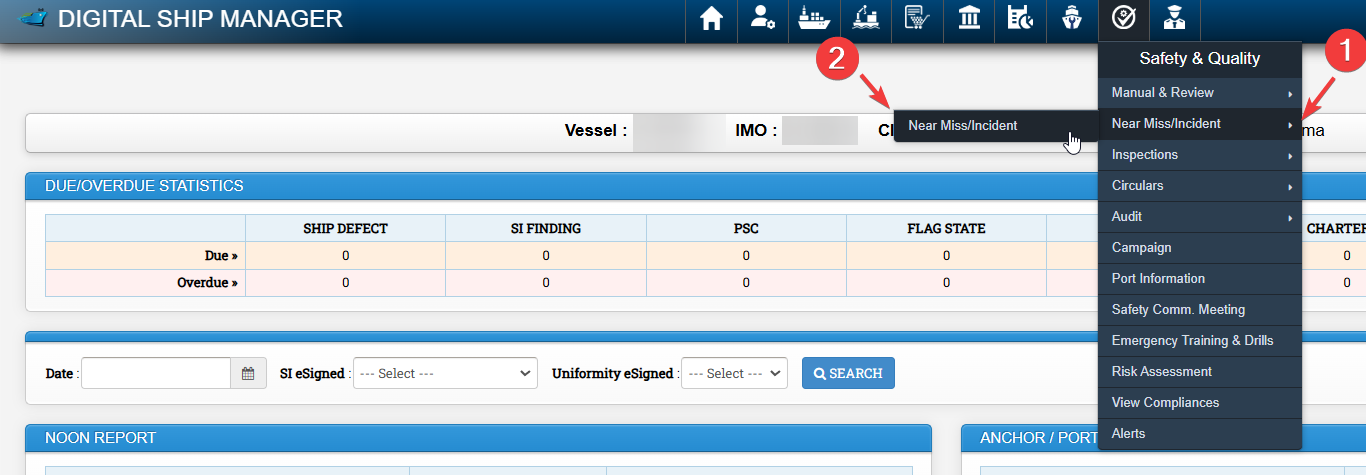
Click on Add Report
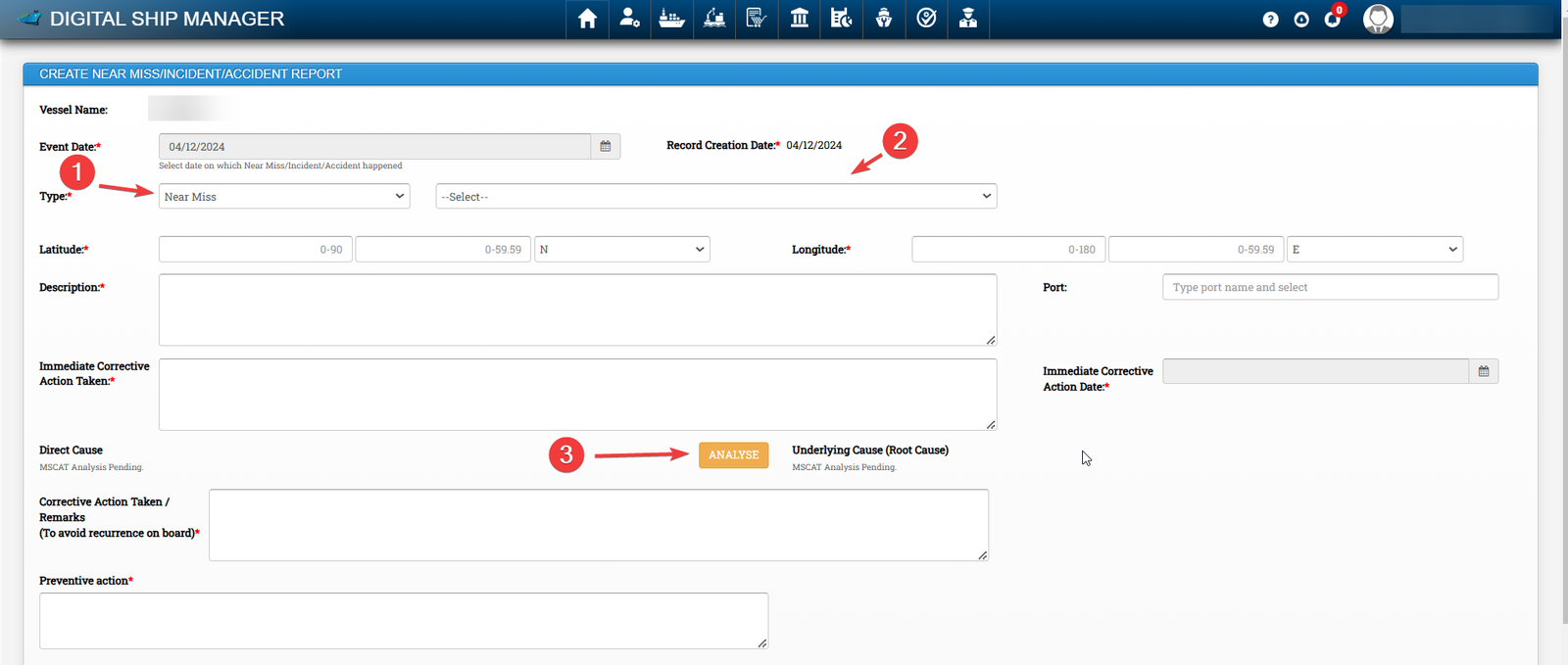
- Under 1, Please select Near Miss or Accident
- Under 2, Select Particular Category applicable
Fill all the required Data and Click on Analyse button to open Root Cause analysis Window (MSCAT)
Please select the required categories on checkbox as applicable, Fill Relevant fields if any and click on submit
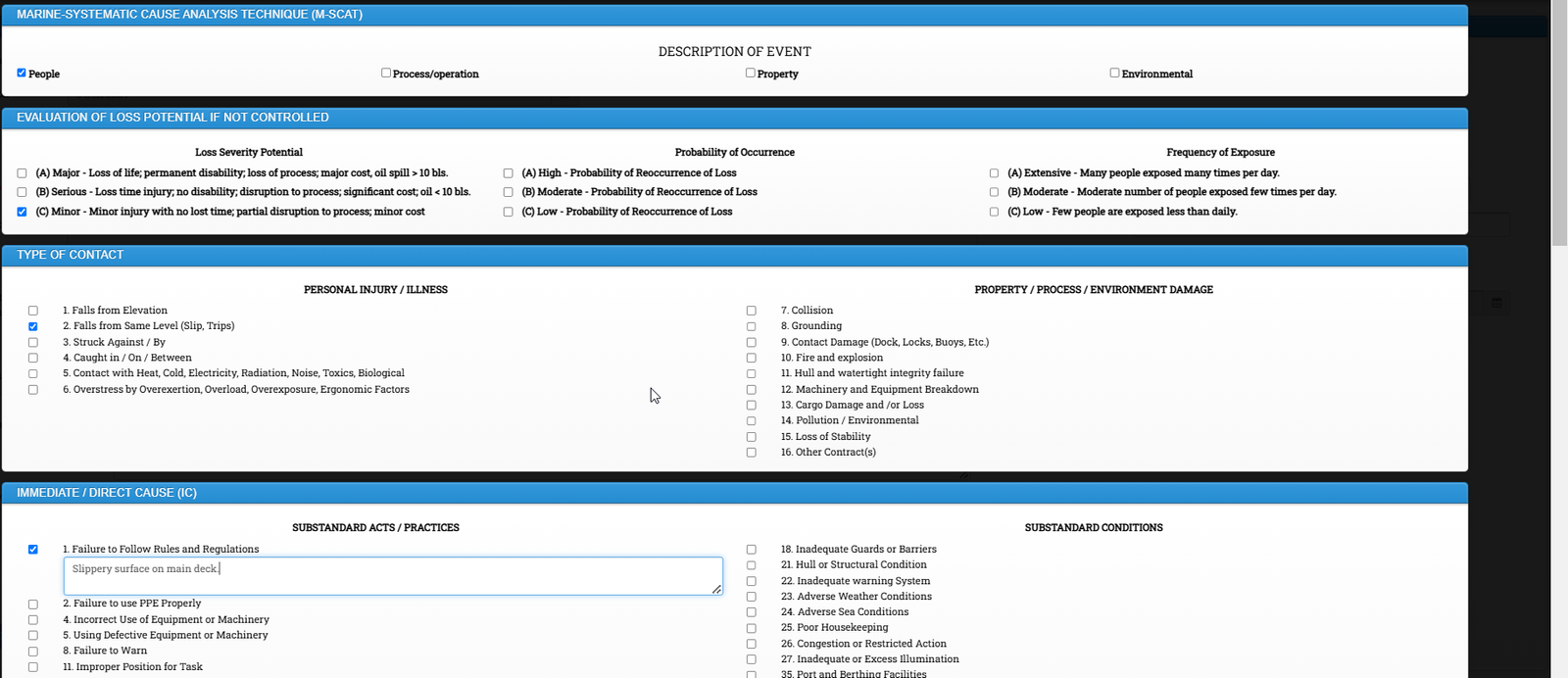
Enter Corrective action and Preventive action taken.
Upload supporting document as applicable and click on Submit button.
To review comments from office:
Click on Safety & Quality Module -> Click on Near Miss / Incident -> Near Miss / Incident
All Nearmiss / Incident Reported by the vessel will appear here.

Under Verification information, Comments from office side will be visible to the vessel.
4. How to Add Flag State / PSC Inspection in DSM
Procedure to create flag state / PSC Inspection is similar in DSM.
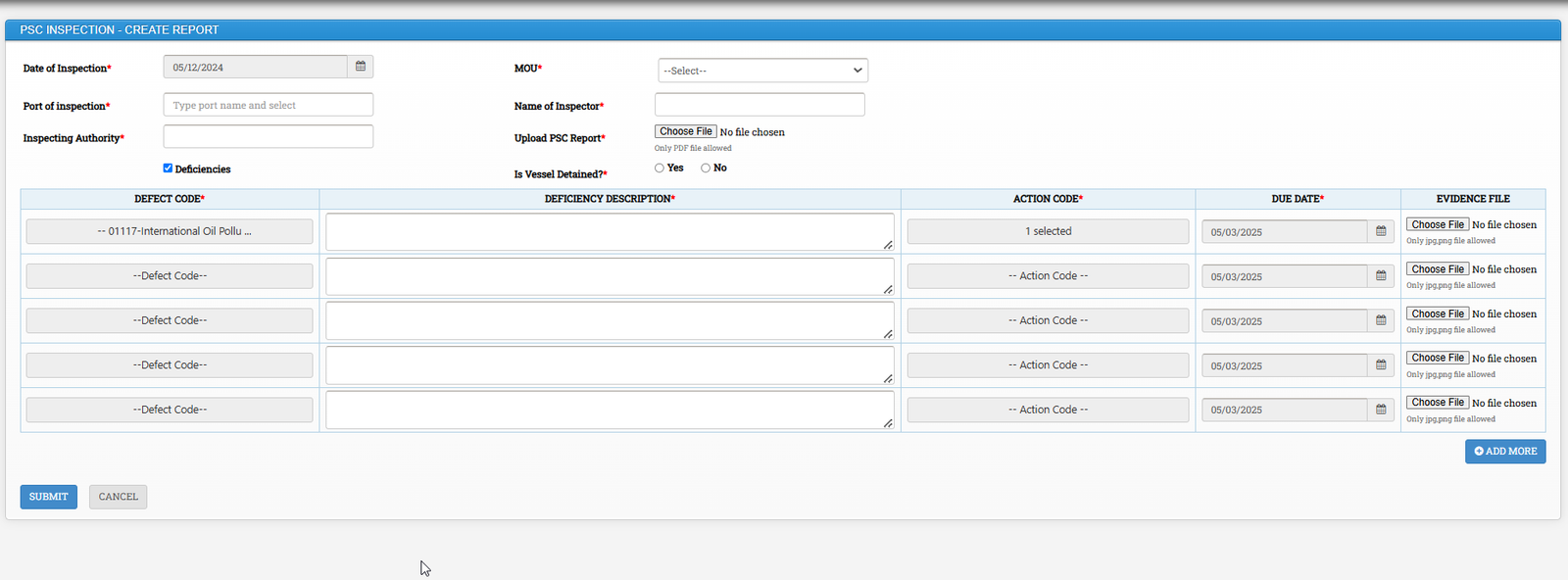
Click on Safety & Quality Module -> Inspections -> Select Create PSC Inspection or Create Flag State Inspection
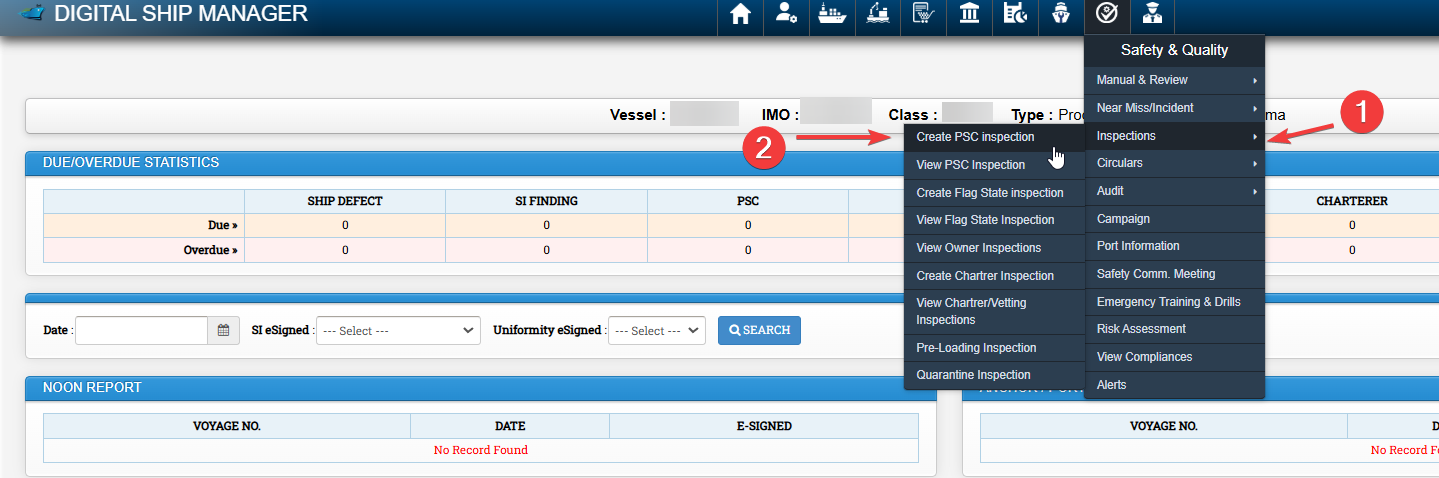
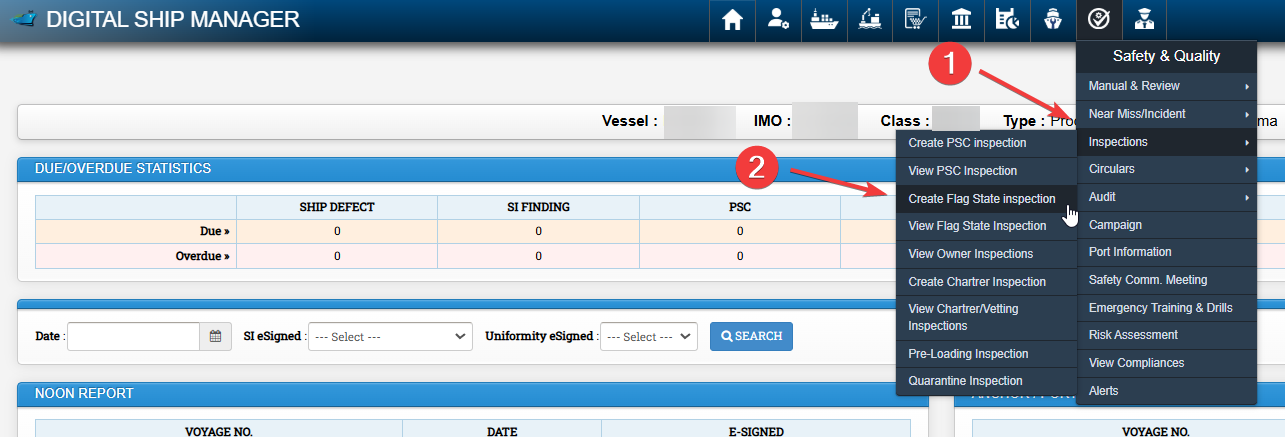
Fill the required data.
In case of deficiencies click on Deficiencies, fill the required fields and click on submit
5. How to Add Safety Committee Meeting in DSM
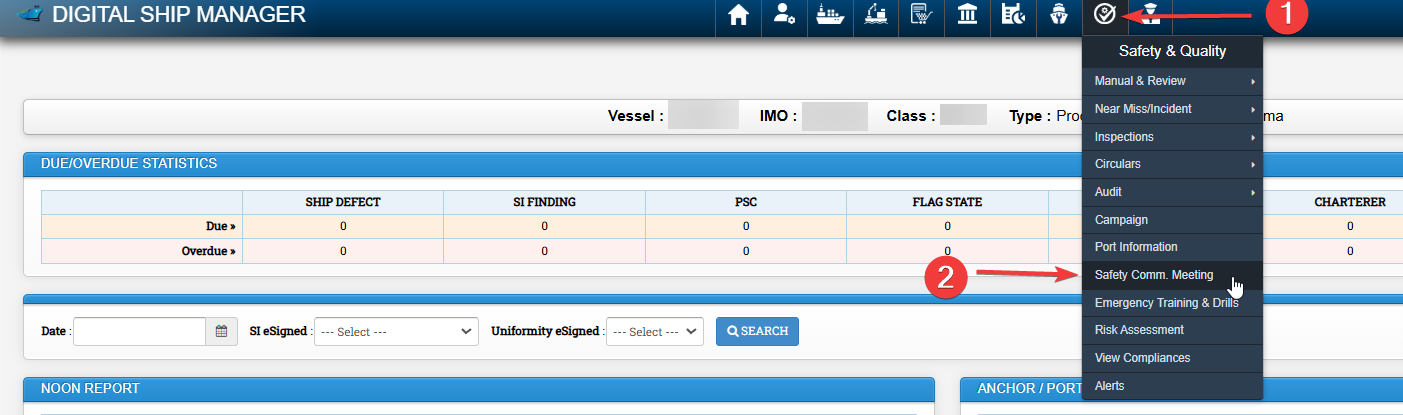
Click on Safety and Quality Module -> Safety Comm. Meeting
Click on Create New Report

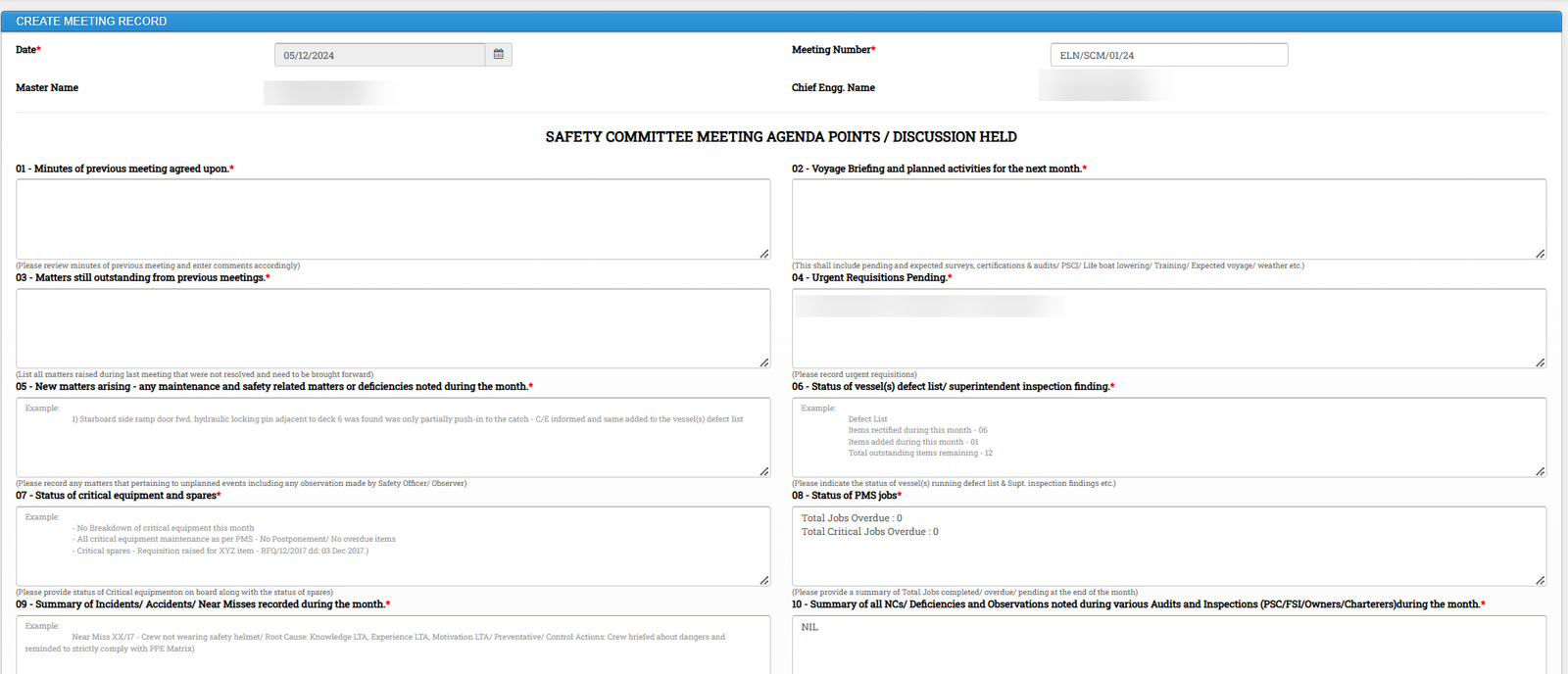
Fill all the required details, mark members who participated in the meeting and click on Submit
6. How to Update Drills in DSM
Click on Safety and Quality Module -> Click on Emergency Training & Drills
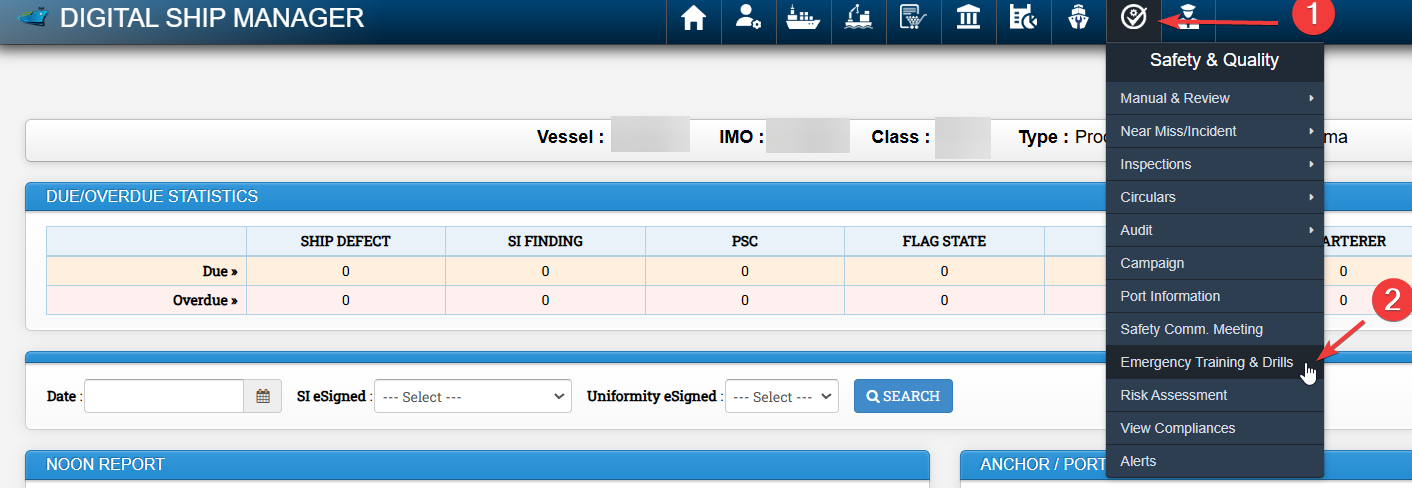
All relevant drills will appear here and status can be seen as Due, Overdue or OK under Status Column.
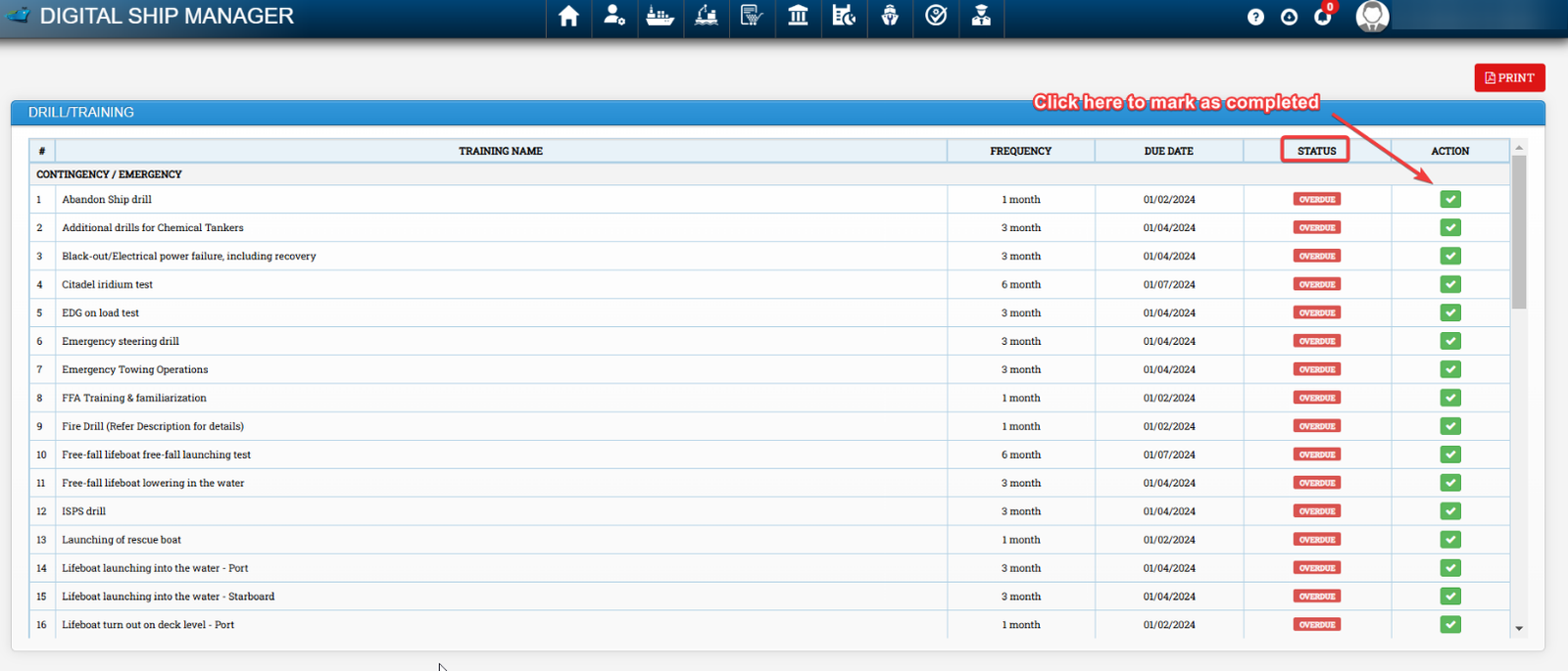
Click on Green Tick Icon (Mark as completed) to update.
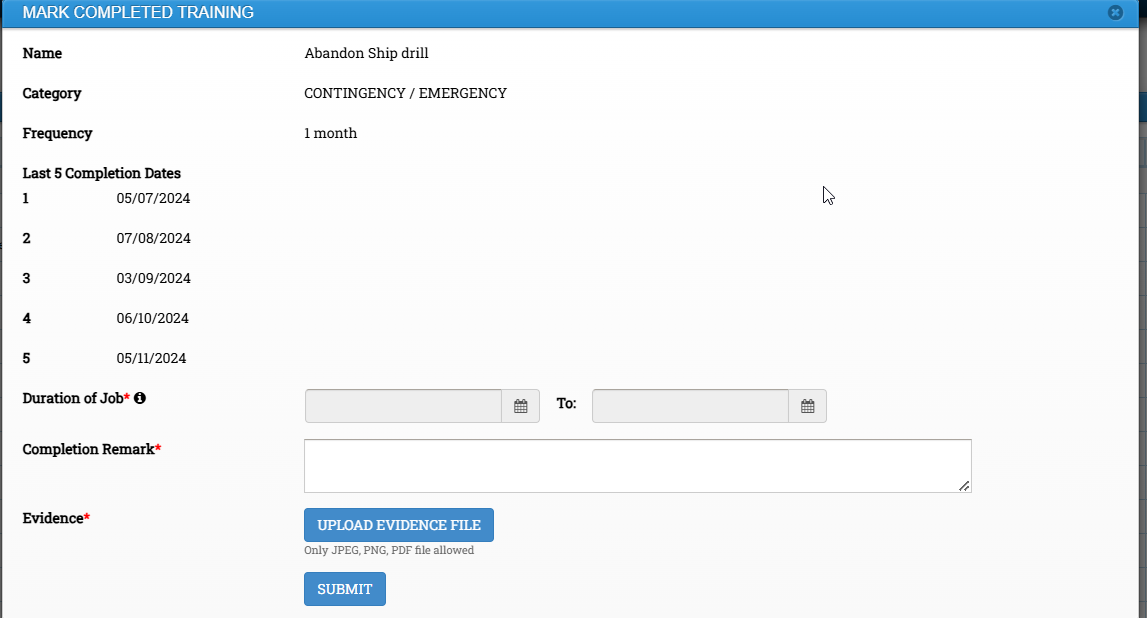
Fill all the required data and click on submit.
7. How to Add Masters Self Navigation Audit in DSM
Click on Safety and Quality Module -> Select Audit -> Click on View Audit
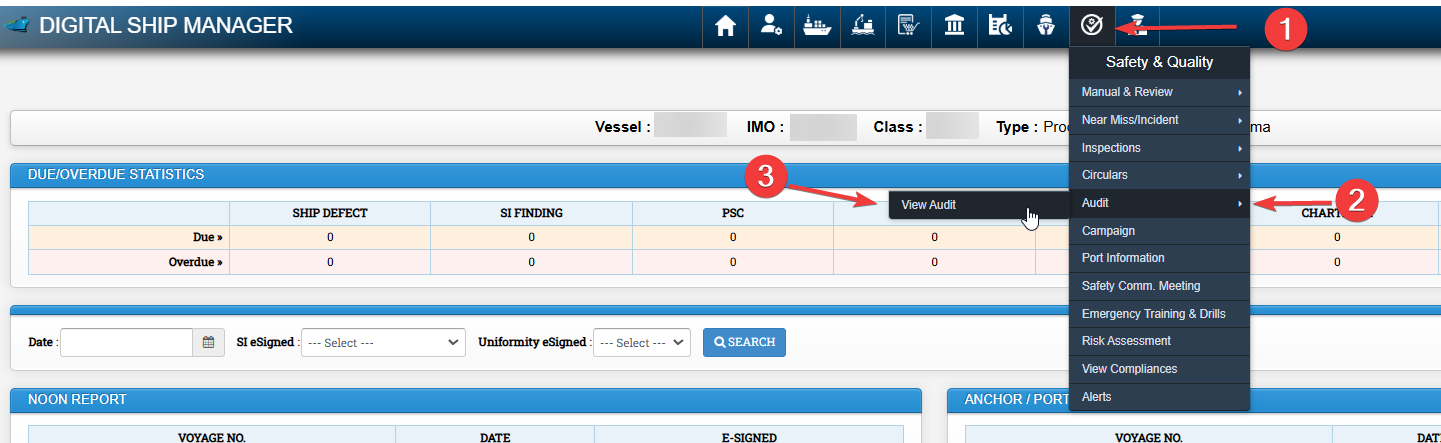
Existing audit records may be viewed here.
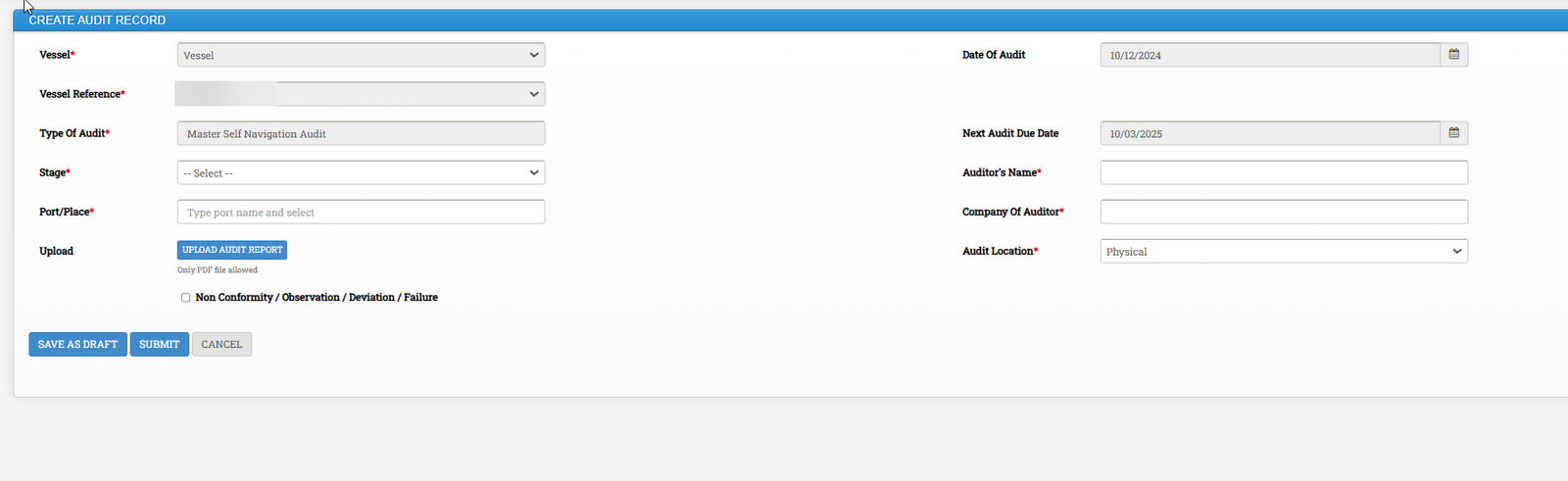
Click on Create audit record

Fill the required information and click on submit.