| FOM 9.6 |
Fleet Operations Manual FOM Reporting Module in DSM |
Doc No.: FOM 9.6
Revision: 01 Date: 15 Oct 2024 Issued by: DPA Approved by: MD |
1. Vessel Reporting in DSM
Following Reports are to be added in DSM:
- Departure Report
- Noon Report
- Arrival Report
- Port Report
- Month End Report
- Vessel Operations -> Bunker and Tank Condition to be updated in DSM
Following sequence is to be followed in DSM for creating reports:
Departure report to be filled first -> Noon Report -> Arrival -> Port Report
Port Report to be filled in case vessel is at anchor.
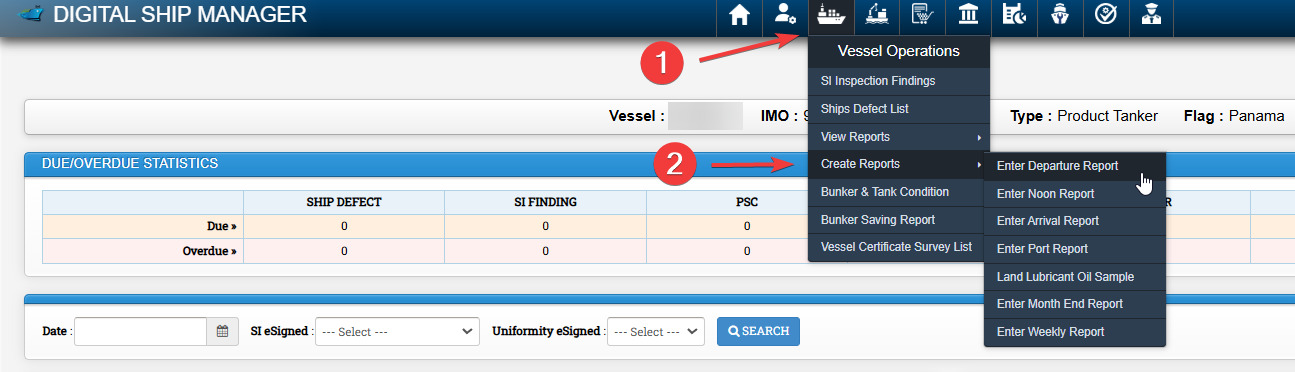
To Create Reports, Click on Vessel Operations Module -> Click on Create Reports -> Select the required report to be created.
2. Bunker & Tank Condition in DSM
To add bunker tank condition, Vessel first needs to add tanks in the system. If bunker tanks are already updated in the system, this step might not be necessary.
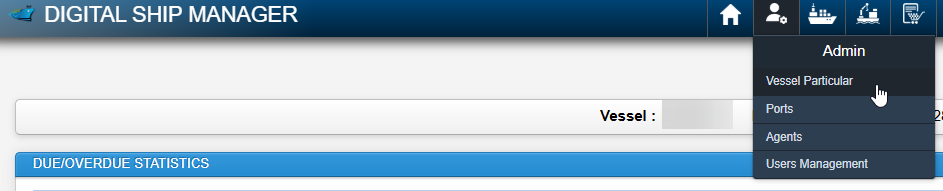
Go to Admin Module -> Vessel Particular
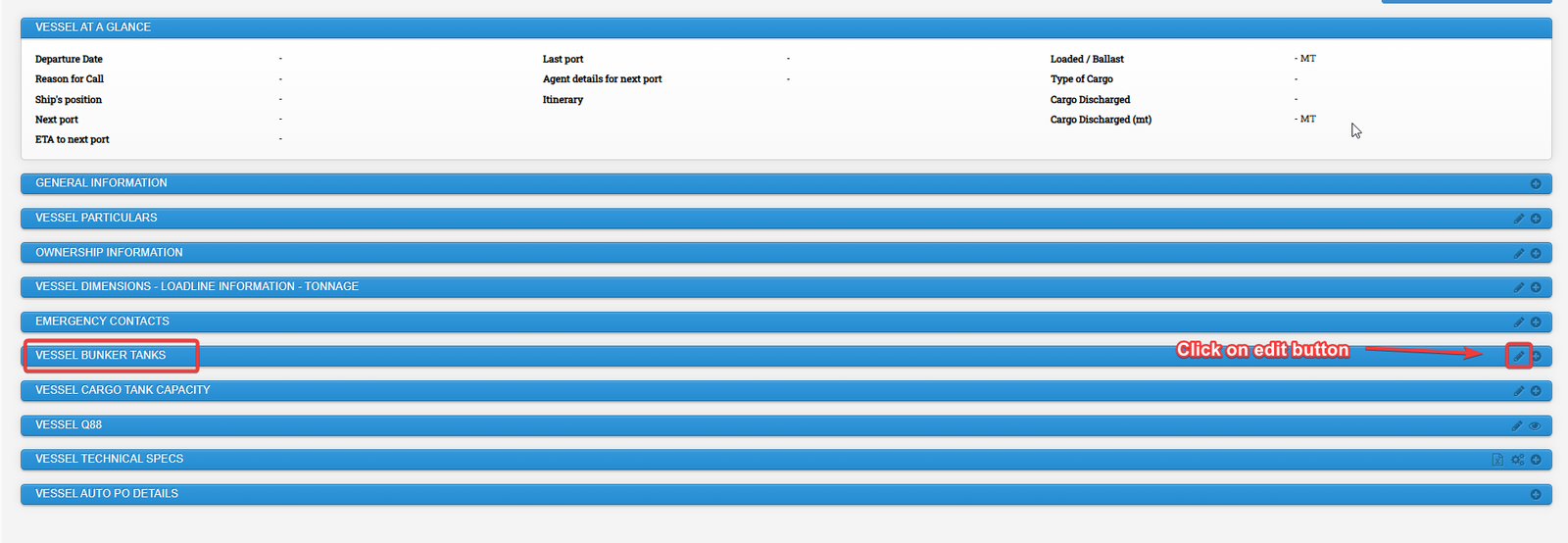
Under Vessel Bunker Tanks, Click on Edit button
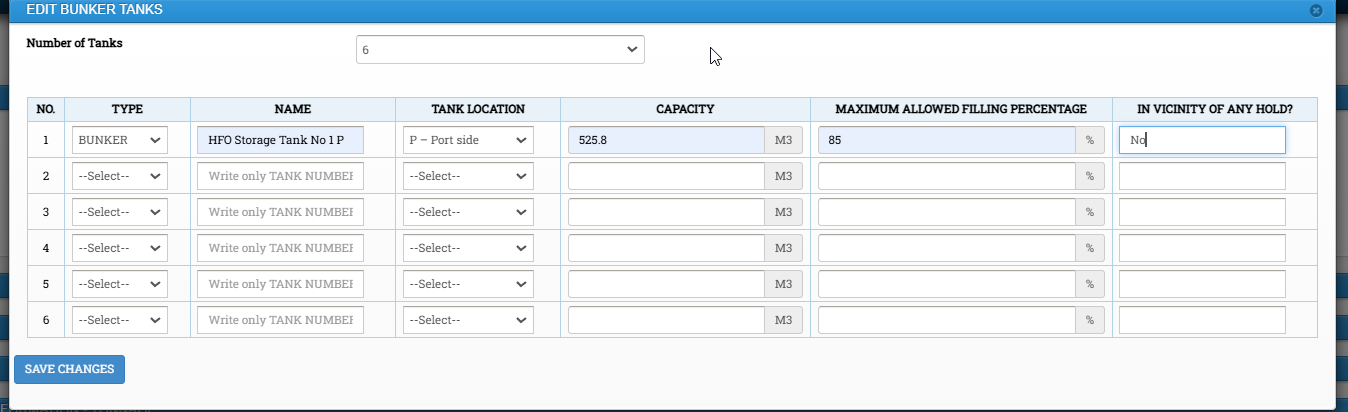
Update tanks in the system and click on save changes
To add vessel bunker tank condition:
Click on Vessel Operations Module -> Bunker & Tank Condition
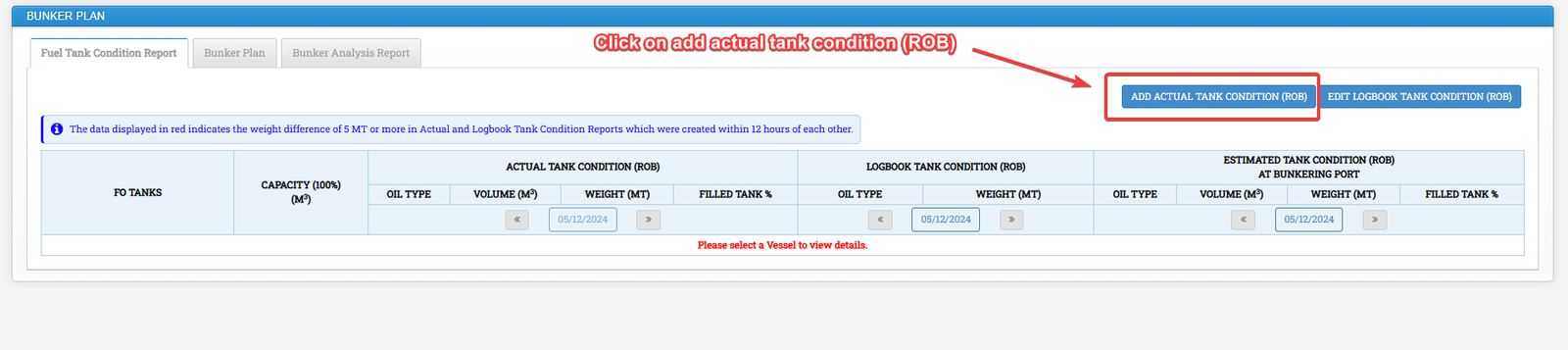
Click on Add Actual Tank Condition (ROB)
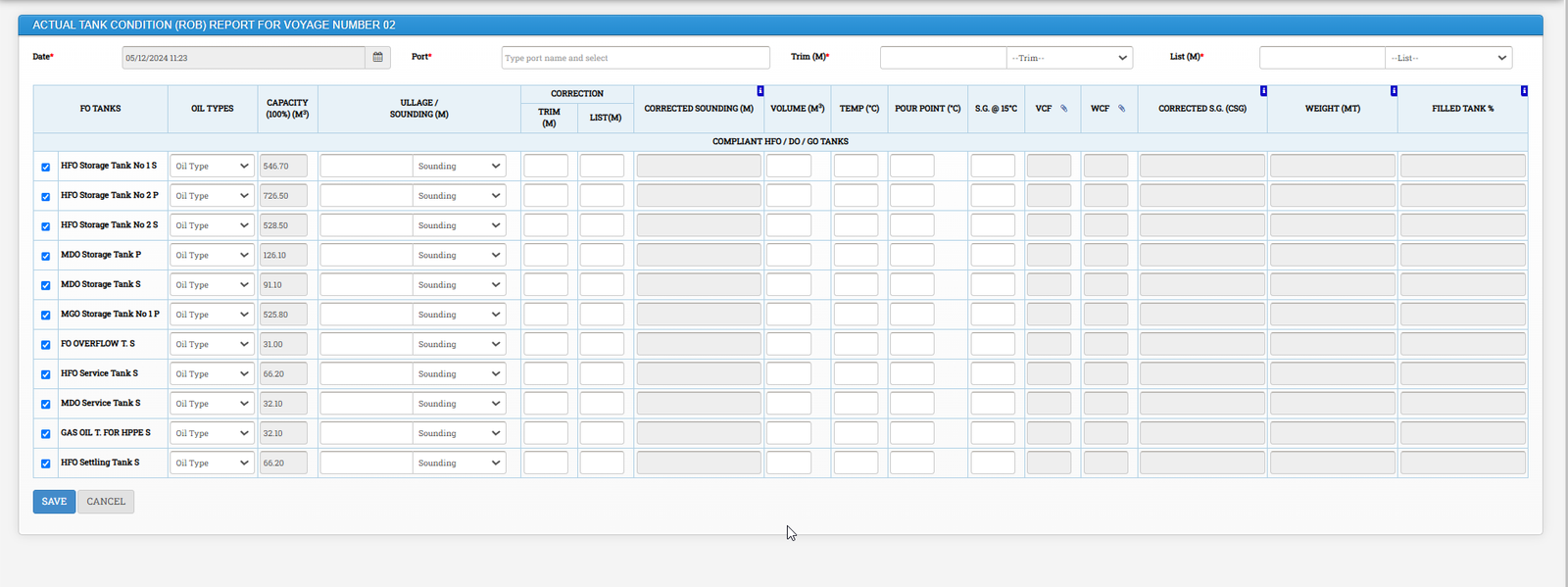
Tick on the required tanks, Fill all the required details and Click on save
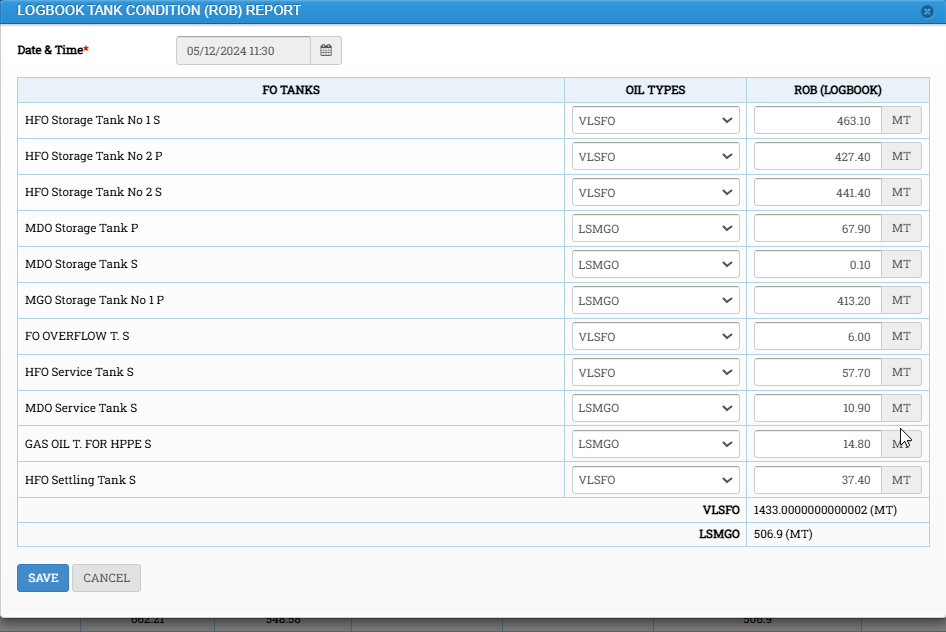
To Update the ROB, click on Edit Logbook Tank condition (ROB) and click on save button.
3. Bunker Plan in DSM
Click on Vessel Operations module -> Click on Bunker & Tank Condition
Click on Bunker Plan Tab -> Click on New Bunker Plan

4. Video Recording on How to Create Vessel Reports
Video recordings may be accessed in DSM as following.
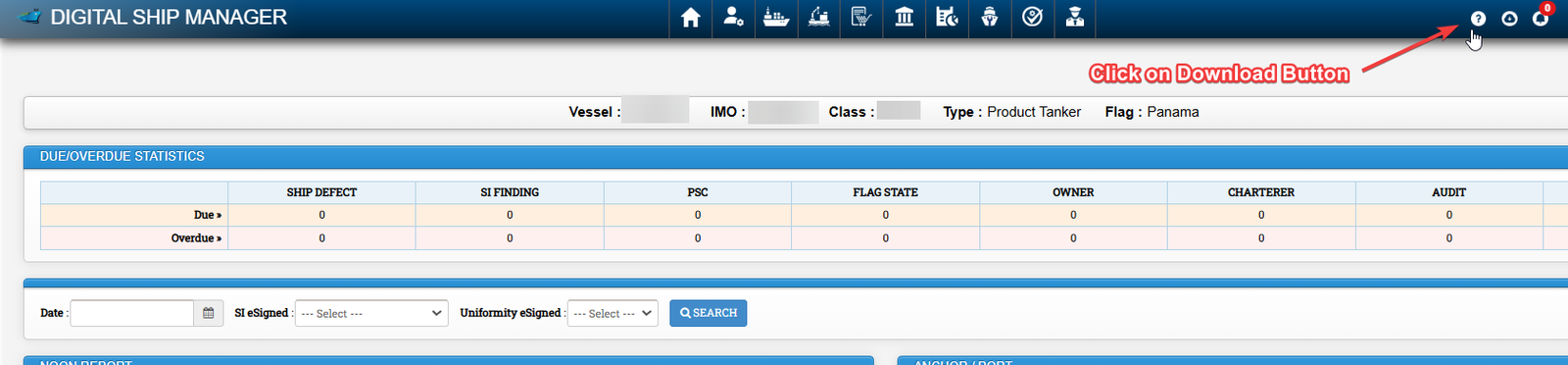
Click on Download Button
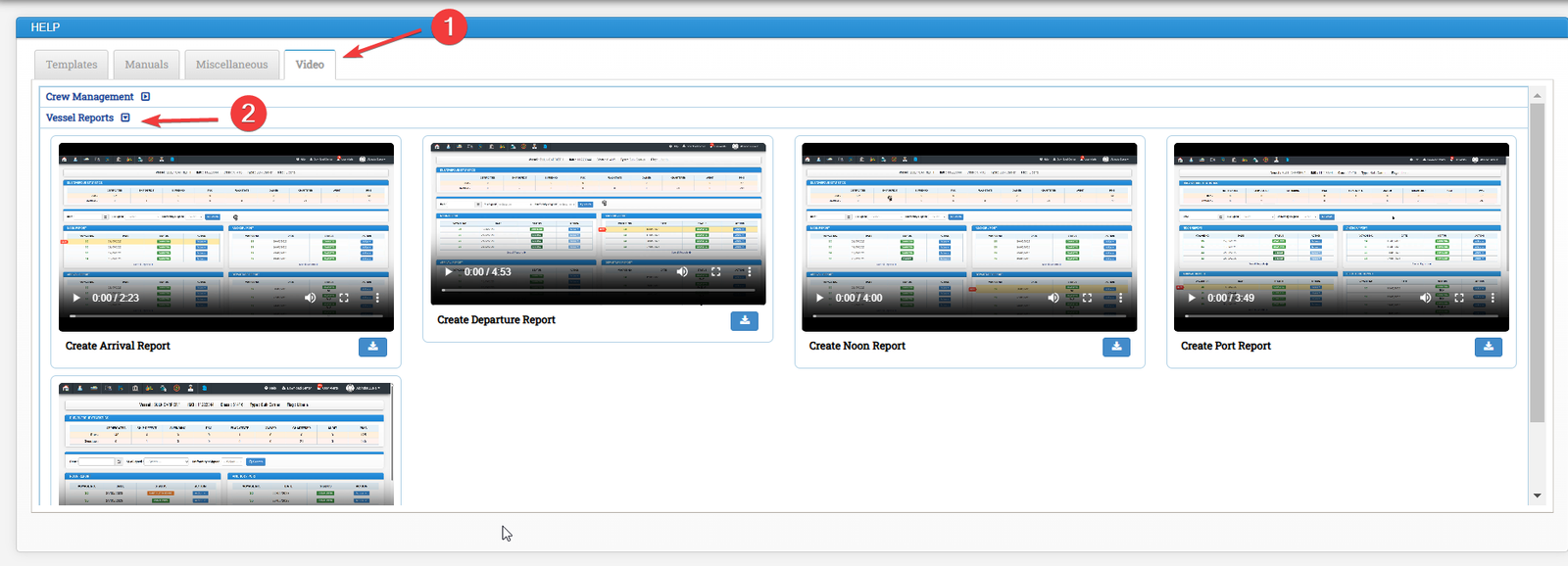
- Click on Video tab
- Click on vessel reports